> ## Documentation Index
> Fetch the complete documentation index at: https://nango-tiktok-accounts-update.mintlify.site/llms.txt
> Use this file to discover all available pages before exploring further.
# Authorize APIs With API Key & Basic Auth
> Gather user credentials and perform requests on their behalf.
This guide shows how you can let your users authorize external APIs, from inside your app. Once authorized, you will retrieve, store, and refresh API key credentials so you can later perform API requests or use Nango's syncing features.
This feature is free & unlimited on Nango Cloud.
## Step 1: Set up Nango
Create a free Nango account (no credit card required):
[](https://app.nango.dev/signup)
Open the [Dashboard](https://app.nango.dev) in your browser.
## Step 2: Create an *integration*
On the Dashboard, go to the [New Integration page](https://app.nango.dev/integration/create) and select an external API.
If the API uses API keys or Basic Auth for authentication, an info box will be displayed above the "save" button:
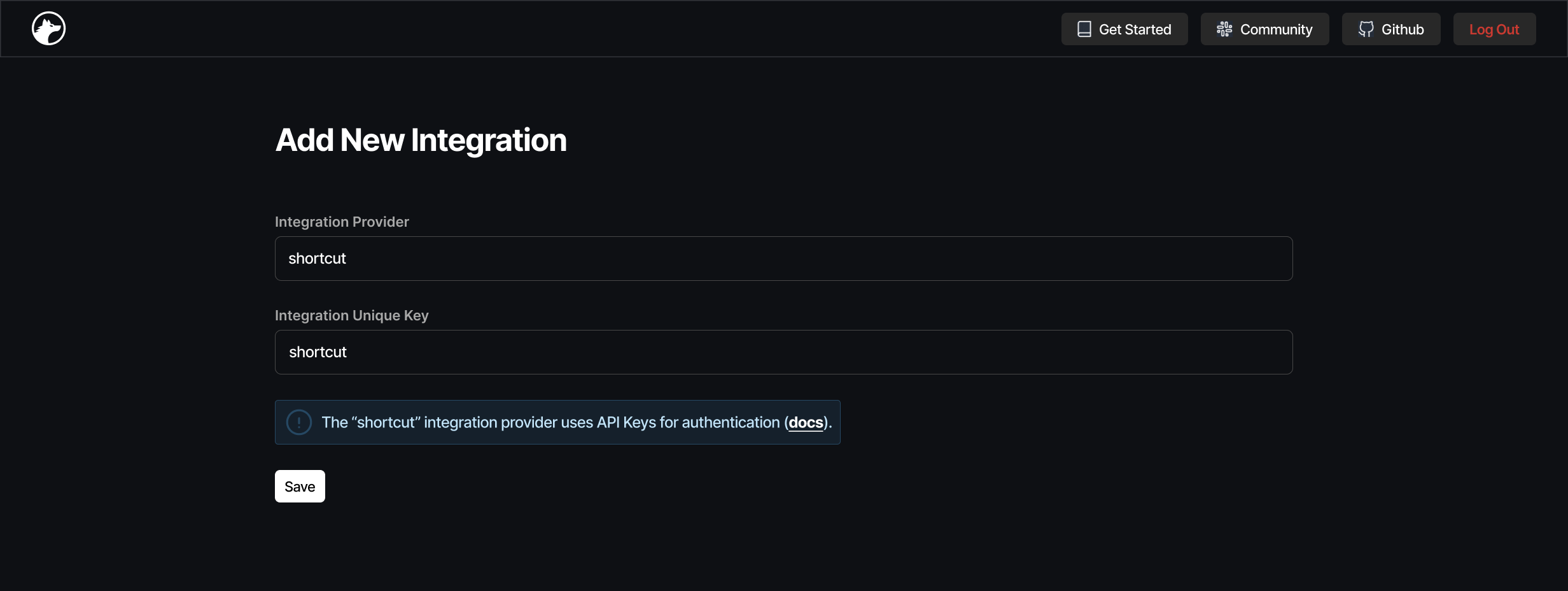 Just click `save` to create the *integration*.
## Step 3: Store an API Key (or username/password)
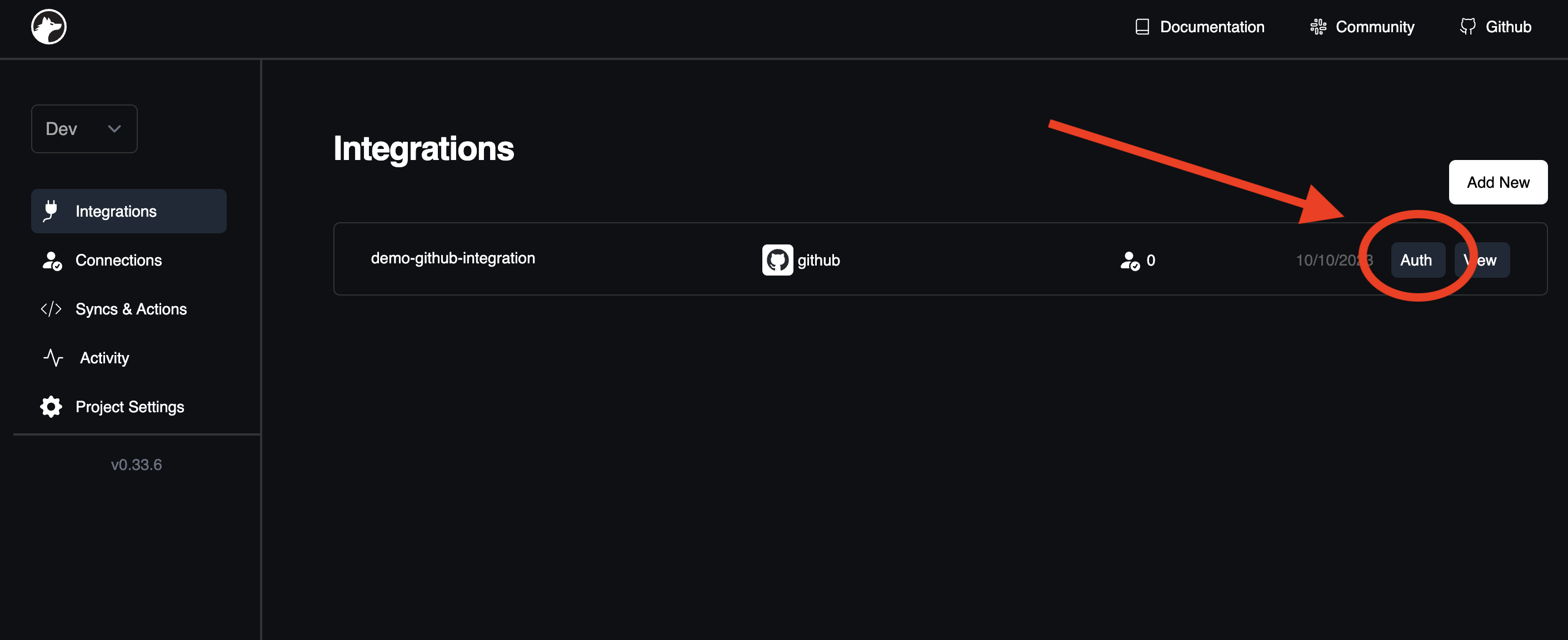
Click "Auth" next to the *integration* to store an API Key (or username/password for Basic Auth) for this integration.
## Step 4: Embed Nango in your frontend
Install `@nangohq/frontend` and use the code snippet from the [Add New Connection page](https://app.nango.dev/connections/create) (step 3 above) to collect user credentials from your frontend (cf. [Frontend SDK docs](/sdks/frontend)).
`` identifies this user's connection with the *integration* in Nango. We recommend using a user ID or similar for it.
## Step 5: Retrieve the API Key (or username/password)
In your backend, you can use our [Node SDK](/sdks/node) or [Connections REST API](/api-reference/connection/get) to fetch credentials (which will allow you to query the external API).
* `` is the name of your integration. It is listed on the [Integrations tab](https://app.nango.dev/integrations) in the Dashboard, e.g. `slack`
* `` is the Connection ID you passed in step 4 above.
### With the backend Node SDK
Check the [backend Node SDK reference](/sdks/node) for more details.
Install `@nangohq/node`, then use:
```ts
import { Nango } from '@nangohq/node';
let nango = new Nango({ secretKey: '' });
let creds = await nango.getConnection('', '');
```
### With the REST API
Check the [API reference](/api-reference/connection/get) for full details and an example response.
Get the `Secret Key` from the [Project Settings page](https://app.nango.dev/project-settings).
```bash
curl --request GET \
--url https://api.nango.dev/connection/?provider_config_key= \
--header 'Authorization: Bearer '
```
## Questions, problems, feedback?
We are happy to help! Please reach out on the [Slack community](https://nango.dev/slack), we are very active there.
Just click `save` to create the *integration*.
## Step 3: Store an API Key (or username/password)
Click "Auth" next to the *integration* to store an API Key (or username/password for Basic Auth) for this integration.

## Step 4: Embed Nango in your frontend
Install `@nangohq/frontend` and use the code snippet from the [Add New Connection page](https://app.nango.dev/connections/create) (step 3 above) to collect user credentials from your frontend (cf. [Frontend SDK docs](/sdks/frontend)).
`` identifies this user's connection with the *integration* in Nango. We recommend using a user ID or similar for it.
## Step 5: Retrieve the API Key (or username/password)
In your backend, you can use our [Node SDK](/sdks/node) or [Connections REST API](/api-reference/connection/get) to fetch credentials (which will allow you to query the external API).
* `` is the name of your integration. It is listed on the [Integrations tab](https://app.nango.dev/integrations) in the Dashboard, e.g. `slack`
* `` is the Connection ID you passed in step 4 above.
### With the backend Node SDK
Check the [backend Node SDK reference](/sdks/node) for more details.
Install `@nangohq/node`, then use:
```ts
import { Nango } from '@nangohq/node';
let nango = new Nango({ secretKey: '' });
let creds = await nango.getConnection('', '');
```
### With the REST API
Check the [API reference](/api-reference/connection/get) for full details and an example response.
Get the `Secret Key` from the [Project Settings page](https://app.nango.dev/project-settings).
```bash
curl --request GET \
--url https://api.nango.dev/connection/?provider_config_key= \
--header 'Authorization: Bearer '
```
## Questions, problems, feedback?
We are happy to help! Please reach out on the [Slack community](https://nango.dev/slack), we are very active there.